What we'll cover in the hour
Plan your website before you build it
Everything decided before you spend a penny, and a plan you can build from or a brief you can hand to a developer
This is a one hour webinar for people who need a website for their business, whether they’re going to build it themselves or pay someone to. Most sites that go wrong go wrong from the start: nobody decided what the site was for, which pages it needed or what it had to get a visitor to do, so the building drags on for weeks and the result doesn’t do its job. This is the hour that makes those decisions first, so your site has the best chance of working whatever it’s built in.
By the end you'll know what your site is for, which pages you need, what goes on the homepage, which domain you’re going for, whether you should build it yourself or hire someone, which template you’d start from and which hosting you’ll buy. If you’re building it, you get short videos afterwards showing each of the buying and setting up steps. If you’re hiring, the worksheet is the brief, and a developer who gets one quotes lower and builds faster.
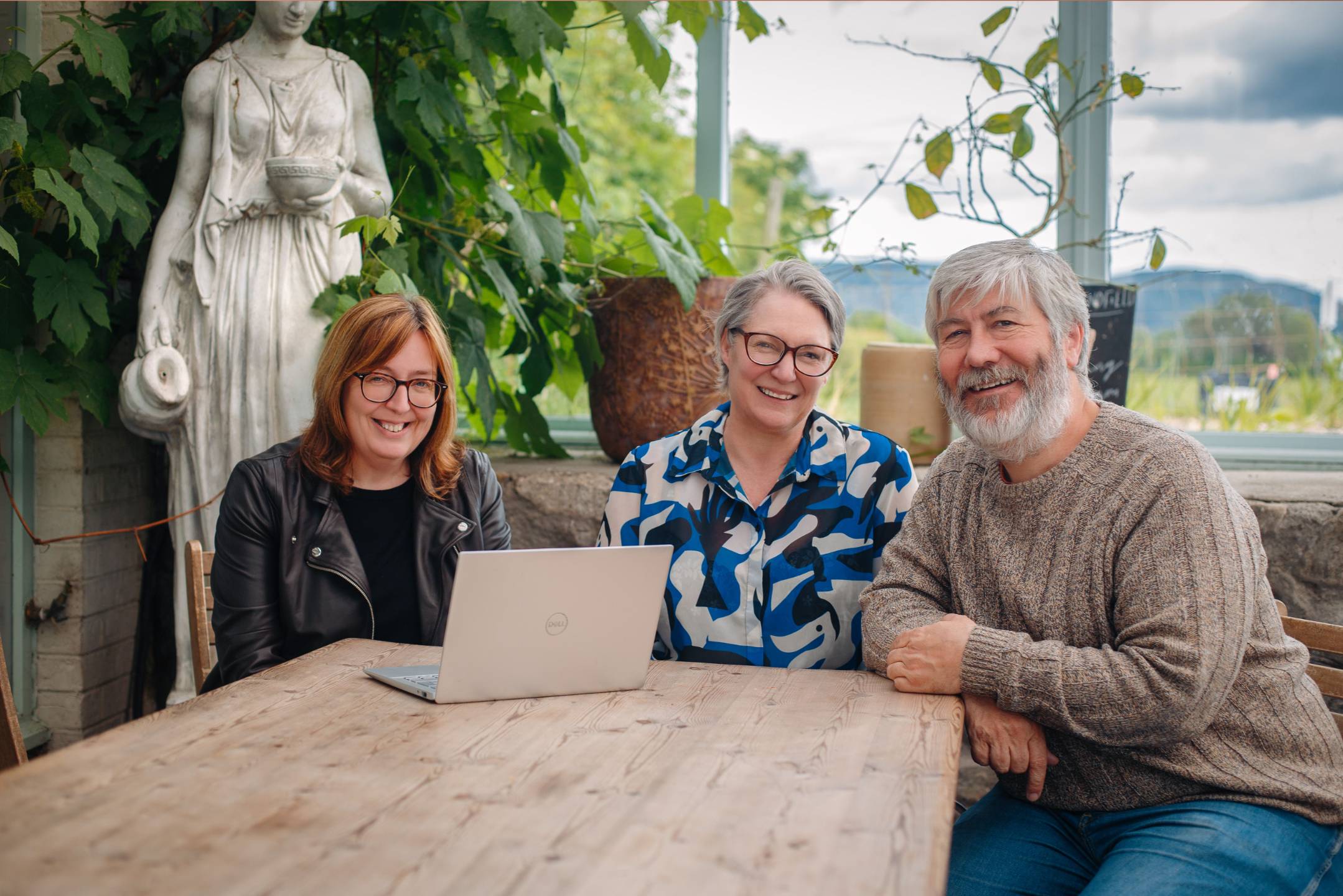
It's run by the three of us at Awesome Tech Training. More than 6,000 people have come on our webinars and we have more than 220 5* reviews. It’s live, all three of us are on it, and you can ask us anything.
Choose your dateWho is this webinar for?
This webinar is for you if you run a small business and:
✅ You don’t have a website and you know you need one
✅ You’ve got an old site that a friend or a relative built years ago and you want to replace it
✅ You’ve been relying on Instagram or Facebook for new business and you’ve started to see the risk in that
✅ You’ve started a site before, in WordPress, Wix or something else, and stalled because you didn’t know what it needed or what to put where
✅ You’re not sure whether you should build it yourself or pay someone, and you’d like to decide that before you spend money either way
✅ You’re going to pay someone to build it and you want to know what to ask for and how to tell a fair quote from an expensive one
✅ You’ve been on our free getting started with WordPress webinar and you don’t have a site yet
This isn’t a building session. Nobody opens WordPress during the hour and there’s nothing hands on. It’s the planning that stops you wasting weeks once you do start building, whatever you build it in. It’s also not the right fit if you already have a WordPress site that someone else built; that’s our “make sense of the WordPress site you’ve inherited” webinar.
What you'll leave with
Everything you need to build a plan for your website on paper. It covers what your business does in a sentence, who your customers are, the one thing you want a visitor to do, the pages you need and the ones you’re not having yet, what goes on your homepage from top to bottom, the content to gather before you start, your first and second choice of domain, whether you’re building it or hiring someone, the template you’d start from and the hosting you’ll buy. If you build, it’s the plan you build from. If you hire, it’s the brief you hand over, and it’s what you’d bring to a clinic with us if you want a second opinion on it.
Choose your date✅ Why an hour of planning saves weeks of building, and what goes wrong if you open the software and start clicking
✅ The one job your site has to do, and how to choose it: for most small businesses it’s getting someone to ring, book, buy, message or trust you enough to do one of those later
✅ Which pages almost every small business site needs, which are sometimes worth it and which to leave until later
✅ What goes on your homepage from top to bottom, and what doesn’t
✅ The words, pictures and details to gather before you start, with a checklist
✅ How to choose a domain name, what .com, .co.uk and .ie each say about you, and why you need a second choice
✅ WordPress or a website builder such as Wix or Squarespace: the difference, and why we’d choose WordPress
✅ Build it yourself or hire someone: the honest test, based on what the site has to do and what your time is worth
✅ If you hire: why the worksheet is the brief, what to ask about ownership and what happens afterwards, and why two quotes against the same sheet beat three guesses
✅ If you build: why it means choosing a ready made template and putting your content into it, not designing from scratch, and how to pick one
✅ What hosting is, what you need at the start, what you don’t need yet, roughly what to pay and which company we’d use
✅ The order to do things in afterwards: domain, hosting, connect the two, then build
Bring your questions
You can submit questions throughout the webinar and there’s time for live Q&A at the end. All three of us stay on the line at the end of the hour, so bring whatever you’re stuck on and we’ll do our best to help.
How the webinar works
The webinar is an hour of content with the Q&A on top of that. All three of us are on every webinar: one of us presents while the other two answer your questions in the chat as they come in, and we all stay on at the end. Everyone who books gets the recording, the slides, the worksheet and the follow up videos to keep, so it’s worth booking even if the date doesn’t suit.
If you buy the on demand version you get the recording of the last time we ran it live, including the questions people asked as its own section. You can ask your own questions in the comments under the webinar and one of us will answer within two working days, and you’re invited to the next live run free of charge.
Choose your dateWhat happens after the webinar?
If you’re building the site yourself, you’ll have a plan and the how to videos you need in order to register your domain, buy your hosting and install WordPress, and the next step when you’re ready is our build a website course, with a special price for attendees afterwards. If you’d rather not deal with hosting at all, we host and look after sites ourselves. If you’re hiring a developer, you’ll have a brief, and we’re happy to quote against it: book a call with Rachel and send the sheet ahead. And if you build it yourself and get most of the way, a lot of people come to us at that point for an hour or two of help finishing it off. Either way, everyone who buys a webinar can book a free half hour clinic with one of us, and the worksheet is the thing to bring.
Choose your dateWhy we're the right people to help you
We're Lorna, Steve and Rachel from Awesome Tech Training. We've been building WordPress sites for more than 20 years, from a few hundred pounds for a simple brochure site to complex installations wired into other systems, and we host and look after sites too. We don't sell themes or plugins and we take no commission on anything we name, so when we recommend one it's because we'd use it ourselves.
I'm not technical. Will I be able to follow this?
I've already bought a domain and hosting. Is it still worth attending?
Will I be able to ask questions during the webinar?
I was thinking of using Wix or Squarespace to build my site. Will this webinar still be relevant?
Will you show me how to build a site during this webinar?
How long is the webinar?
What if I can't make any of the dates?
I'm going to pay a developer rather than build myself. Is this webinar still worth it?
Can you build my site for me?
What previous attendees say about our webinars
Book your place, just £36
Choose your date and book your place now. An hour of decisions, and a worksheet that is either your plan or your developer’s brief.
Choose the on demand option and you’ll get immediate access to the recording of the last time we ran it live, or book any date and we’ll send you the recording and slides after it runs.
Choose your date